Braille punctuation marks in UEB
Braille punctuation isn’t a random set of symbols bolted onto the alphabet. Basic marks like a comma or period get their own single cell, the same way a letter does. More complex marks, quotation marks, brackets, currency symbols, are built from two cells: a prefix cell that signals “this isn’t a plain letter,” followed by a second cell that carries the actual shape. This translator implements the full UEB punctuation set, including something a lot of simpler tools skip entirely, currency symbols. Here’s exactly what each mark looks like and why it’s built the way it is.
Single-cell punctuation
These are the marks you’ll use constantly, and each one is a single braille cell, no prefix needed.
Worth noticing directly: the same dot patterns get reused across categories rather than UEB inventing an unrelated shape for every mark. The question mark (dots 2, 3, 6) uses the identical cell as the second half of an opening double quote, resolved by context rather than confusion, since a question mark never appears mid-quote-pair and an opening quote never sits alone at the end of a sentence. The at sign, a single dot 4 on its own, is also the exact prefix cell that starts every currency symbol below, more on that in a moment.
Two-cell punctuation: quotes, brackets, and symbols
Anything more visually complex than basic punctuation needs two cells to represent. The first cell is a prefix, it doesn’t mean anything on its own, it exists to tell the reader “the next cell is a special symbol, not a letter.” The second cell then carries the actual shape.
Quotation marks are the clearest example, and this translator distinguishes opening from closing, which not every tool bothers to do.
Notice the opening and closing pair each share a second cell that reflects the mark’s actual shape, dot pattern ⠦ appears in both opening marks, ⠴ in both closing marks, while the prefix cell changes to signal single versus double quotes. That’s a deliberate, structured system, not two arbitrary four-dot patterns that happen to look different.
You don’t need to type actual curly quote characters to get correct output either. Type a plain straight double quote from a normal keyboard and the tool tracks position automatically, rendering the first one as opening and the next as closing, alternating each time the mark appears. That matters in practice, since most keyboards don’t have a dedicated opening or closing quote key, and typing the wrong direction manually is an easy, invisible mistake to make.
Brackets and other symbols
Brackets and a few other symbols follow the same prefix-plus-shape logic:
Currency symbols
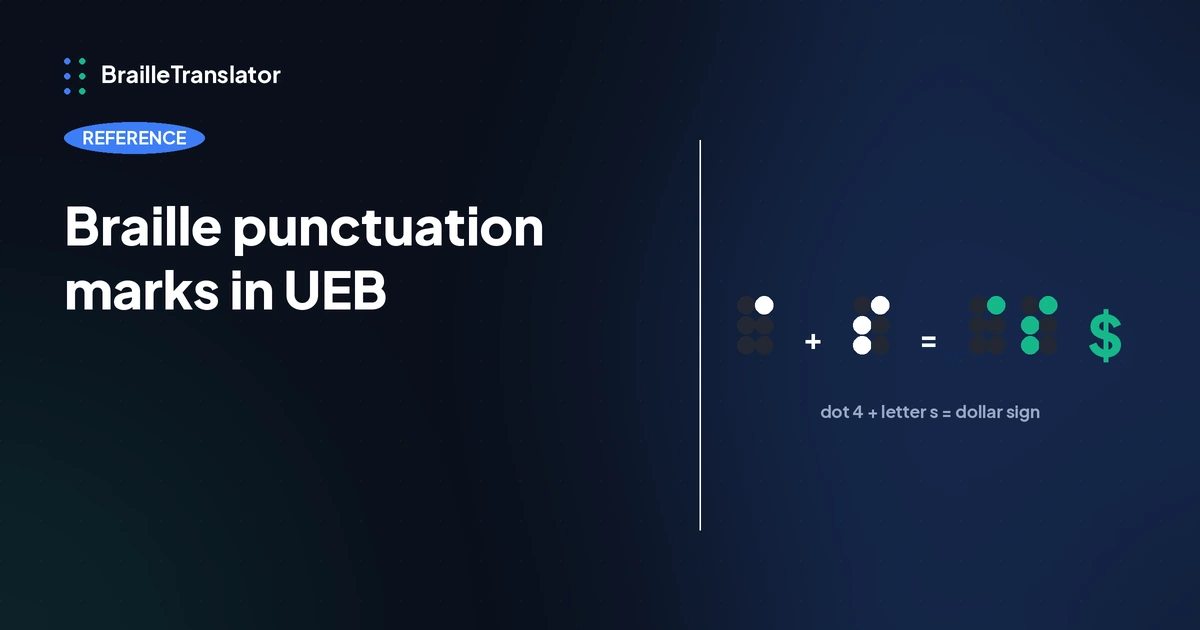
This is where the pattern gets genuinely elegant, and where a lot of braille translators stop short. Currency symbols in UEB aren’t unrelated shapes to memorize, each one is built from a dot 4 prefix followed by the same letter shape you already know from the alphabet, the first letter of the currency’s name.
This is the same underlying mechanic covered in our grade 2 contractions reference, where a letter’s own shape gets an extra dot added to signal a different meaning entirely, just applied to currency instead of whole words. Once that pattern clicks, currency symbols stop being 5 separate things to memorize and become 1 rule applied 5 times.
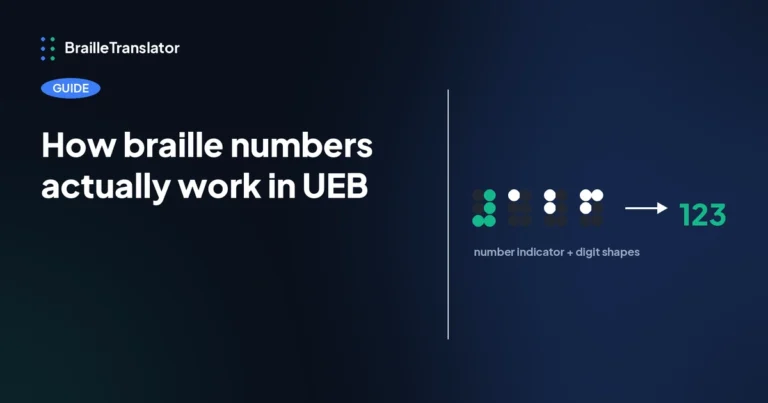
This covers everyday numbers and currency within ordinary text. Full mathematical notation, equations, fractions, and the like, is a separate system entirely, see Nemeth code vs UEB for that distinction. For how plain digit sequences themselves work, including decimals and the letter indicator, see how braille numbers actually work.
Why this matters for accurate transcription
Punctuation gets treated as an afterthought in a lot of braille content, but getting it wrong changes meaning in ways letters alone don’t. A missing comma changes a sentence’s structure. A straight quote where UEB expects a directional opening or closing quote isn’t just cosmetic, it’s a different, specific cell. If you’re transcribing anything meant to be read as accurate UEB rather than an approximation, the punctuation layer is not optional detail, it’s as governed by rule as the alphabet itself.
See it applied to your own text
The fastest way to confirm any of this is to type a sentence with a few of these marks into our braille translator and check the punctuation cells against what’s listed here directly, rather than trying to hold the whole table in your head.
Open the translatorFrequently asked questions
Yes. Basic marks like commas and periods use their own single braille cell. More complex marks use two cells, a prefix cell followed by a shape cell.
In UEB, yes. Opening and closing double quotes use different prefix cells, and the same is true for single quotes, so a reader can tell which side of a quotation they’re on.
Each currency symbol uses a dot 4 prefix followed by the same cell shape as the first letter of the currency’s name. The dollar sign uses dot 4 plus s, the pound sign uses dot 4 plus l, and so on.
No. Punctuation marks stay the same across both grades. What changes between grade 1 and grade 2 is whether letters and words get contracted, not how punctuation is written.
No. A plain straight double quote typed from a standard keyboard is automatically converted to the correct opening or closing quote cell based on where it falls in the text.