The Perkins Brailler: the machine that changed how braille gets written
In 1931, Dr. Gabriel Farrell took over as director of the Perkins School for the Blind and looked hard at the braillewriting machines his own school was producing. He didn’t like what he found. The quality was inconsistent enough that he ordered production stopped outright, with no replacement lined up, just a conviction that something better had to exist before Perkins put its name on another one.
The stakes behind that decision were higher than they might sound. A braillewriter that jammed, misaligned dots, or wore down quickly wasn’t a minor inconvenience for a blind student relying on it daily for schoolwork. An unreliable machine could mean illegible pages, lost time, or a student giving up on writing braille by hand altogether in favor of dictating to someone else, which was exactly the kind of dependence the school existed to reduce, not reinforce. Farrell halting production rather than continuing to ship machines he considered mediocre was a bet that getting the design right mattered more than keeping the line running.
What existed before Abraham’s machine
Braillewriting machines weren’t new by 1931. Louis Braille himself worked with a slate and stylus, a simple frame and a pointed tool for punching dots into paper by hand, and that basic approach is still in use today as a portable option, closer to a pen and notepad than a typewriter. It comes with a real practical catch, though. A stylus punches dots from the back of the page, which means the writer works right to left in mirror image, then flips the page over to read it the correct way round. It’s a skill in itself, separate from reading braille fluently, and it slows writing down considerably compared to simply typing forward the way a sighted person would on an ordinary typewriter.
The first real machine built specifically for writing braille came decades later, in 1892, when Frank Hall, superintendent of the Illinois School for the Blind, built a device modeled on the typewriter, the first of its kind to gain wide acceptance, embossing dots directly in reading order rather than requiring the mirror-image approach a slate demands. Perkins had been producing its own version of that basic idea for years by the time Farrell arrived. He simply thought it deserved to be done properly.
A woodworking teacher takes on the redesign
The person he handed the problem to wasn’t an engineer by training. David Abraham taught woodworking and industrial arts at the school, and whatever mechanical skill he brought to redesigning a braillewriter, he’d largely taught himself. The challenge wasn’t just making a machine that embossed dots, existing machines already did that. It was making one precise and durable enough to hold up to years of daily classroom use while still being simple enough for a student to operate reliably, a balance the earlier Perkins-made machines apparently hadn’t struck well enough for Farrell’s liking. Abraham spent roughly 5 years on it, much of that time working in his own basement rather than a school workshop, before he had a working prototype ready in 1941. Then the Second World War intervened, and the machine that would eventually become standard equipment in classrooms and homes around the world sat unproduced for another decade. It finally reached the market in 1951, after Perkins and trustees from the American Foundation for the Blind arranged financing to manufacture the first 2,000 units, priced at $70 each.
Six keys, one motion
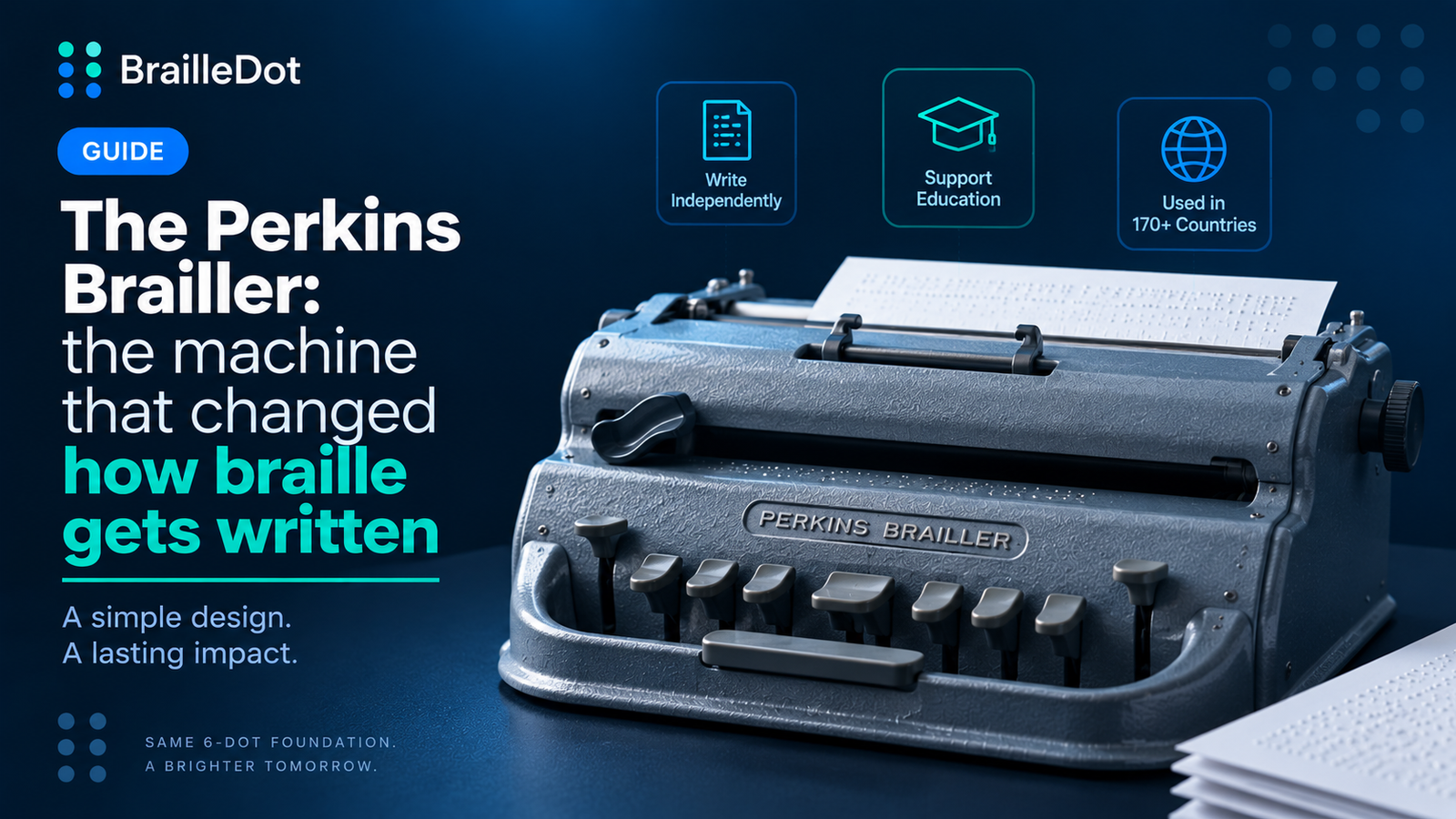
What Abraham actually built was mechanically direct in a way that still holds up. Six keys sit at the center of the machine, 3 on each side, and each one corresponds to exactly 1 of the 6 dot positions in a braille cell, left hand for dots 1, 2, and 3, right hand for dots 4, 5, and 6. Pressing keys in combination embosses a full cell in a single motion, the same way a typewriter strikes a full letter. A space bar, a backspace key, and a line-advance key round out the controls, along with side knobs for feeding paper and a carriage-return lever for starting a new line. The rollers that feed paper through the machine are grooved specifically so they don’t crush dots that have already been embossed, precise enough that a page can be pulled out, checked, and fed back in later to add or correct a single cell without damaging anything already on the page.
That 6-key layout is the reason this translator’s own on-screen input option is arranged that way. The F, D, S keys on the left and J, K, L keys on the right, staging a cell before inserting it, are a direct descendant of the exact same left-hand-right-hand mapping Abraham built into the physical machine in the early 1940s. Anyone who’s used a Perkins Brailler in person will recognize the layout immediately, because it’s the same one.
From a basement to 170 countries
The machine spread further than its inventors likely expected from a project that started in a basement. More than 375,000 units have gone out to over 170 countries, and the core mechanical design has stayed largely the same for more than 70 years, aside from adjustments to price and materials. It became standard enough that generations of blind students learned to write on one before ever touching a computer, and for many of them it was the first machine that let them produce braille as fast as they could think a sentence, rather than working it out backward one dot at a time.
Digital tools have since taken over plenty of what a mechanical brailler used to do alone, refreshable displays, note-taking software, and text-to-braille translation among them. Even so, the physical machine hasn’t been pushed aside entirely. Newer versions exist now, including digital hybrids like the SMART Brailler and Perkins’s own Braille Bloom, built to connect with screens and software rather than paper alone, aimed at letting a sighted teacher watch a student’s progress in real time while the student still writes the same way generations before them did. Plenty of classrooms still start a student on the same 6-key layout Abraham worked out in his basement before introducing anything digital at all, on the reasoning that the physical, tactile process of pressing 6 keys to form a cell teaches the structure of braille itself in a way a screen doesn’t quite replace.
The underlying key layout, the same 6 positions Abraham worked out by hand, is still the thing nearly every version of the machine is built around, digital or mechanical, and it’s still what a lot of braille readers picture when they imagine what writing braille physically looks like. A machine that started as one teacher’s basement project, delayed by a world war and nearly forgotten before it reached production, ended up outlasting most of the technology built around it since, which is a fairly unusual outcome for a piece of 1940s engineering to still be sitting on.