
How refreshable braille displays actually work
Underneath the surface of a refreshable braille display sit rows of tiny pins, each one controlled by its own separate actuator, capable of rising and falling within a fraction of a second to form a new line of braille with no moving parts visible from outside the case. A sighted equivalent would be a screen that redraws itself instantly. This one redraws itself under a fingertip instead, and the engineering behind making that happen reliably, quietly, and affordably has shaped the whole category of device.
The piezo effect is doing the actual lifting
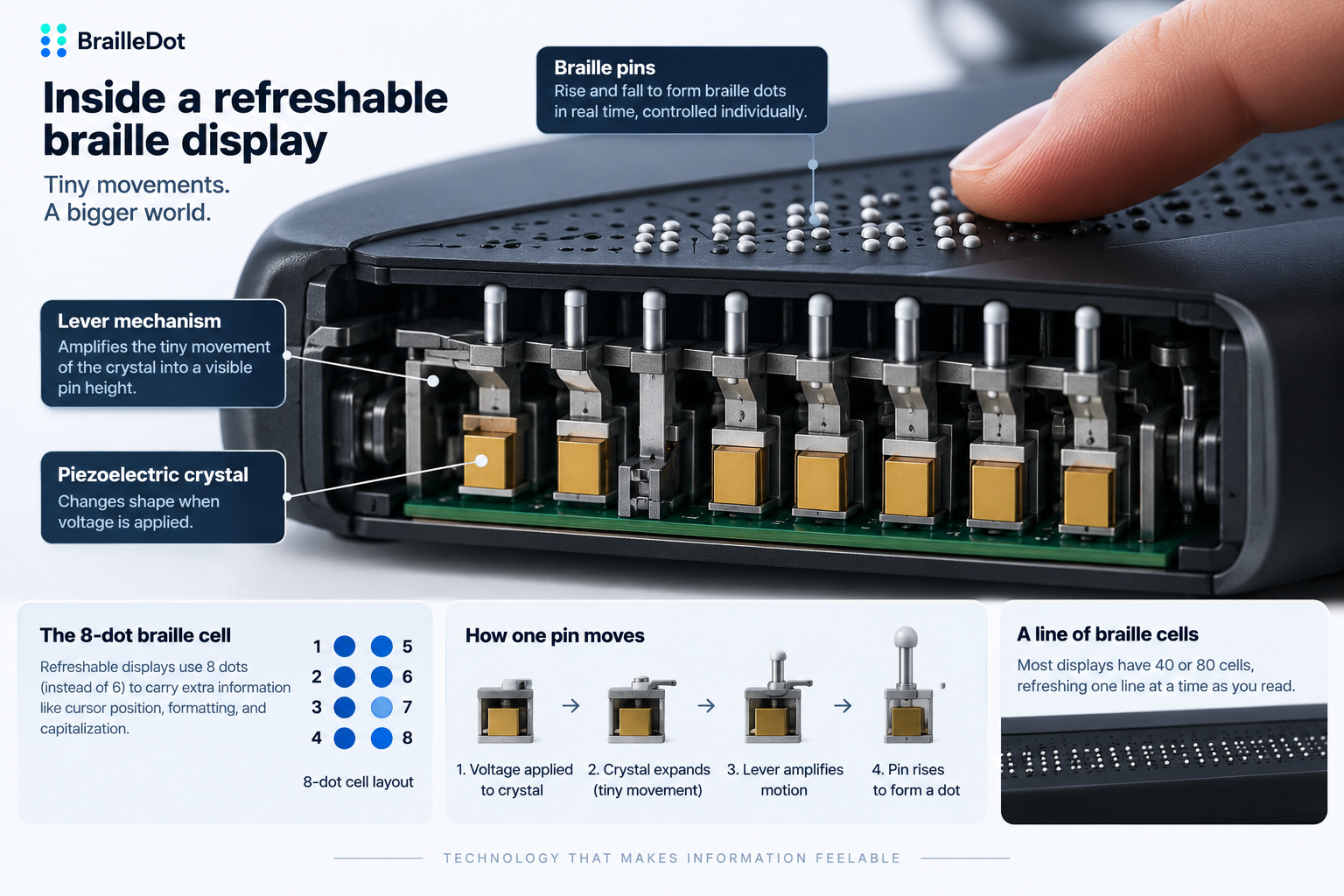
Most refreshable displays rely on a physical property called the piezo effect, where certain crystals physically change shape when voltage is applied to them. That change on its own is tiny, often a fraction of a millimeter, nowhere near enough movement for a fingertip to register as a raised dot. Each pin connects to its own crystal through a small lever specifically designed to amplify that minuscule expansion into a full, perceptible rise, the same basic principle as a longer lever arm turning a small push into a much larger movement at the far end. Apply voltage, the crystal expands, the lever multiplies that motion, and the pin rises to a height a finger can actually detect. Remove the voltage, and it retracts. There’s no shared mechanism moving multiple pins at once, every single pin needs its own dedicated crystal, lever, and amplification path to be controlled independently.
That adds up fast. A standard braille cell used in these displays has 8 dot positions, not the 6 used in ordinary printed or embossed braille, which means a single cell requires 8 separate crystal-and-lever assemblies working in coordination just to render 1 character. A full line of cells multiplies that number considerably, and every one of those assemblies has to be precise enough to move reliably, thousands of times a day, for years, without failing.
Why these displays use 8 dots instead of 6
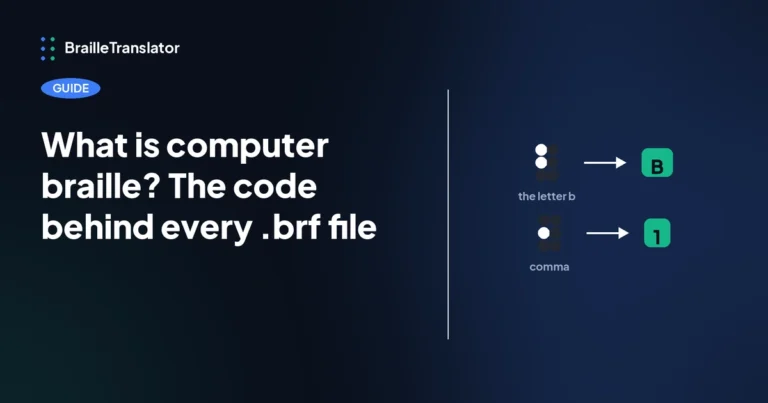
The extra 2 dots aren’t decorative. They’re used to carry information printed literary braille handles differently, cursor position on screen, formatting cues, or capitalization markers that would otherwise need a separate indicator cell the way standard braille does. This is the same 8-dot structure that shows up in what’s generally called computer braille, distinct from the 6-dot cell literary UEB uses, which is worth knowing if you’ve run into that terminology before without quite placing where it comes from.
What that precision actually costs
Piezoelectric crystals aren’t cheap components, and a display needs a lot of them. A single crystal typically runs somewhere between $6 and $10, and with 8 required per cell across a full line of cells, that cost compounds quickly before assembly, calibration, and the surrounding electronics even get factored in. Finished devices commonly land somewhere between $2,000 and $8,000 depending on size and features, a price driven almost entirely by the sheer number of individually precise moving parts packed into a relatively small case, not by the cost of any single component in isolation.
Other approaches exist, but piezoelectric mostly won
Piezoelectric actuation isn’t the only method that’s been tried. Electromagnetic and electromechanical systems, pneumatic actuation, electroactive polymers, shape memory alloys, and even microfluidic approaches have all been explored as alternatives, and each ran into a real practical limit of its own. Pneumatic systems need air pumps and a network of tubing to move each pin, which adds bulk and audible noise a piezo display doesn’t have. Electromagnetic actuators tend to draw noticeably more power and generate more heat across hundreds of pins running continuously. Shape memory alloys, which change shape when heated, are often too slow to cool back down between refreshes to keep pace with normal reading speed. Piezoelectric crystals have remained the dominant choice for a specific combination of reasons instead, they refresh fast, respond with precise control, fit into a compact and lightweight housing, draw relatively little power, hold up to repeated use, and operate silently, no audible click or hum with every line change. Some of the alternatives beat piezoelectric on 1 or 2 of those measures individually, but none has matched it across all of them at once, which is a large part of why it’s stayed the standard approach despite decades of alternative research.
How a full display actually gets read
Most displays are built around either 40 or 80 cells, enough to show a single full line of braille text at a time rather than an entire page at once. As a reader moves through a document, the display refreshes to the next line, pins rising and falling to form new cells while the previous line disappears. Reading this way is closer to how a scrolling text feed works than how a printed page does, 1 line rendered at a time, refreshed on demand as the reader advances, rather than a static, page-sized layout laid out all at once.
Getting content onto the display at all depends on software most users never think about directly. Screen readers like JAWS, NVDA, and VoiceOver are usually what sits between whatever’s on a computer or phone screen and the display itself, converting on-screen text into the specific instructions that tell each pin whether to rise or stay flat. The display typically connects over USB or Bluetooth, and from the reader’s side, using it feels similar to using a screen reader’s audio output, except the output arrives under a fingertip instead of through a speaker, updating line by line as they move a cursor or scroll through content.
Where a text translator like this one fits into that picture
A refreshable display doesn’t understand plain text on its own. It needs driver software or a screen reader sitting between the device and whatever content is being read, translating that content into the specific braille cells the display should render, line by line, as the user moves through it. This translator produces exactly that kind of content, English text converted into grade 1 or grade 2 UEB, which is the material that pipeline is built to carry, though the translation itself and the hardware that eventually displays it are 2 separate, independent parts of the same overall chain, not something this tool operates directly.
Translate the text that refreshable displays can render
Convert English text into grade 1 or grade 2 UEB with our braille translator, then use the translated content with the appropriate braille display software or hardware.
Open the translator
2 Comments